
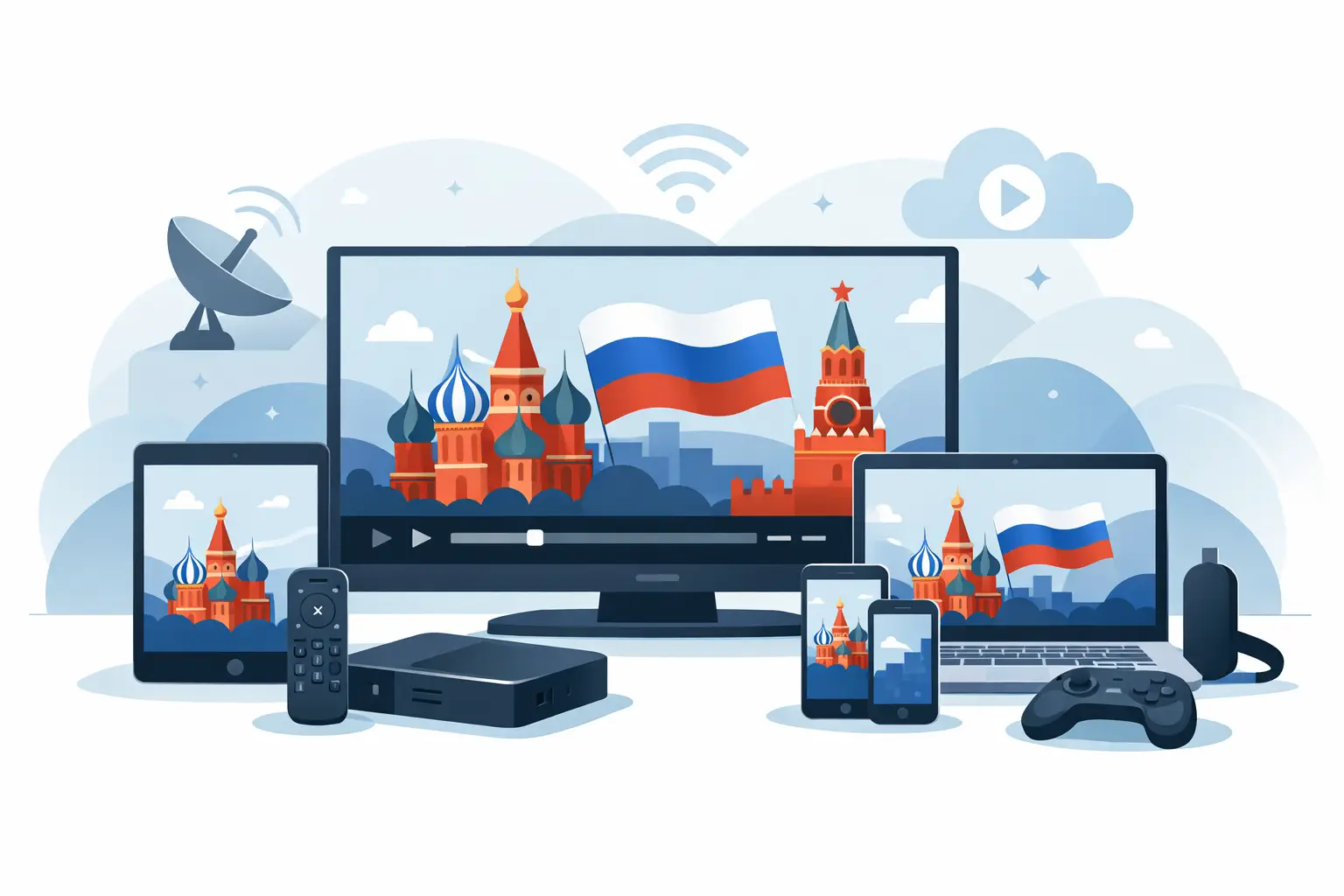
If you are asking what devices support Russian IPTV, the short answer is that most modern screens do. You can watch on Smart TVs, Android TV boxes, phones, tablets, computers, and many popular IPTV player apps. The real question is not whether a device works at all, but which option gives you the easiest setup and the best experience for your home.
For most families, that matters more than technical details. You want Russian channels, movies, series, cartoons, sports, and archived programs to open quickly and play reliably on the devices you already use every day. That is exactly why device compatibility is such a big part of choosing an IPTV service.
What devices support Russian IPTV most often?
Russian IPTV usually works on five main device categories. The first is Smart TVs, especially models that support IPTV apps. The second is dedicated TV boxes and set-top boxes, which are often the simplest option if you want stable viewing on a large screen. The third is smartphones and tablets for watching anywhere. The fourth is desktop and laptop computers. The fifth is third-party media players that support playlist formats such as m3u8.
That broad support is useful because different households watch differently. One person may want live TV in the living room. Another may prefer catching up on archived shows from a phone during a commute or lunch break. A family may use one subscription across several types of devices depending on where and how they watch.
Smart TVs for Russian IPTV
Smart TVs are one of the most popular ways to watch Russian IPTV because they remove extra hardware from the setup. If your TV supports IPTV apps, you can usually install an app, enter your playlist or login details, and start watching from the main screen.
This works well for people who want a cleaner setup with fewer cables and remotes. It is especially practical for family viewing, where everyone expects a TV-like experience with live channels, program archives, and on-demand content in one place.
The trade-off is that not all Smart TV platforms are equally flexible. Some TVs have stronger app support than others, and older models may feel slower when opening large channel lists or switching streams. If your TV is a few years old, IPTV may still work, but navigation can be less responsive than on a newer television or dedicated box.
Best use case for Smart TVs
Smart TVs are best if you want Russian IPTV directly on the biggest screen in the house and prefer the least amount of setup. They are a strong fit for everyday viewing of news, entertainment, kids’ programming, and movies.
TV boxes and set-top boxes
If you want the most dependable living-room experience, a TV box is often the best choice. Android-based boxes and other IPTV-compatible set-top devices are built for streaming and usually handle apps, playlists, and channel navigation more smoothly than many older TVs.
This option makes sense if your current TV is not smart, if its app store is limited, or if you want better performance. A dedicated box can also give you more flexibility when using popular IPTV apps and m3u8 playlists.
For many households, this is the easiest upgrade path. Instead of replacing a good TV, you add a compact device that turns it into a full IPTV screen. That is often the most practical answer to what devices support Russian IPTV when someone wants fewer compatibility headaches.
Why boxes are popular
TV boxes are popular because they are simple, affordable, and stable. They also tend to support a wider range of apps and playback options than built-in TV software. If you watch daily and want a more polished experience, a box is often worth it.
Smartphones and tablets
Phones and tablets are ideal when flexibility matters. You can watch live channels at home, continue on the go, and use the same service for quick access to films, series, or children’s programming without needing the main TV.
Most modern Android and iOS devices can handle IPTV well through dedicated apps or compatible players. This is especially helpful for households where different family members want different content at the same time. One person can watch live TV in the living room while another uses a tablet for cartoons or catch-up content.
The trade-off is screen size. A phone is great for convenience, but less comfortable for long sports broadcasts or movie nights. Tablets solve part of that problem and are often a strong middle ground between mobile viewing and full TV viewing.
Computers and laptops
Computers remain a reliable option for Russian IPTV, especially for people who prefer a larger screen than a phone but do not always use the TV. A desktop or laptop can be a very practical way to watch live channels while working from home, or to access archived broadcasts when you want more control over navigation.
Many users also like computers because setup can feel more familiar. If you are comfortable downloading a player, entering a playlist, or signing in through a web-based interface, a PC or Mac can be one of the simplest devices to start with.
This option is not always the most family-friendly for shared viewing, but it is excellent for personal use. It is also a good fallback device if you are still deciding how you want to watch on your TV.
Third-party IPTV players that support Russian IPTV
Another important part of device compatibility is software. In many cases, Russian IPTV works through third-party players that support formats like m3u8. Popular examples include VLC, OTT Navigator, and Televizo.
These apps matter because the same IPTV subscription can often be used across different devices through the player that fits each screen best. On a computer, someone might prefer VLC. On an Android box, OTT Navigator may offer a more TV-friendly layout. On a phone or tablet, Televizo can be a convenient everyday app.
This flexibility is a major advantage. You are not locked into only one viewing method. If one app feels too basic or does not match the way you browse channels, there is often another compatible player that works better for your habits.
What to check before choosing a device
When people ask what devices support Russian IPTV, they often focus only on whether playback is possible. That is only part of the picture. You should also consider how easy the device is to use every day.
First, think about the screen where you watch most. If your main goal is family viewing, a Smart TV or TV box is usually the better answer. If you mostly watch alone or switch between rooms, a phone, tablet, or laptop may be enough.
Second, consider app support. Some devices work in theory but have fewer good player options. Better app availability usually means easier setup, smoother navigation, and a better archive or replay experience.
Third, think about performance. Large channel packages, HD and 4K streams, and on-demand libraries place more demand on the device than basic streaming does. A newer TV or a dedicated box will usually handle that better than an older budget screen.
Finally, consider who in your household will use it. If children or older family members will be watching, simple navigation matters. The best compatible device is often the one that feels easiest, not the one with the most settings.
The easiest setup path for most users
For most people, the easiest path is straightforward. If you already have a newer Smart TV with good app support, start there. If your TV is older, slower, or limited, use a TV box. If you want a second screen, add a phone or tablet app. If you prefer flexibility, use a compatible player like VLC, OTT Navigator, or Televizo depending on your device.
That mix gives you convenience without overcomplicating the setup. It also lets your household watch Russian-language content in the way that fits real life, whether that means live TV in the living room, archive viewing on a laptop, or mobile access during travel.
Services such as Russia Plus TV are designed around that kind of everyday use, with support for Smart TVs, boxes, mobile devices, computers, and compatible players rather than forcing subscribers into one narrow viewing method.
What devices support Russian IPTV best for families?
For families, the best answer is usually a combination rather than a single device. A main TV setup gives everyone a comfortable place to watch live channels together, while phones and tablets give each person more freedom. That matters when one family member wants news, another wants sports, and children want cartoons or movies.
The advantage of broad compatibility is simple: you do not need to rebuild your home entertainment setup. In most cases, the devices you already own can be used right away, and if one screen is not ideal, adding a low-cost TV box is usually enough to improve the experience.
The smartest choice is the one that matches how you already watch. Start with the screen you use most, choose a player or app that is easy to manage, and build from there. Good Russian IPTV should fit into your routine, not ask you to change it.